
Adding fingerprint cutouts is especially useful for users applying privacy screen protectors, as many Android phone users require fingerprint unlocking functionality after installation. However, the film cutter’s database often lacks preloaded templates with fingerprint cutouts—making this powerful feature indispensable!
01 Measure the Diameter and Relative Distance
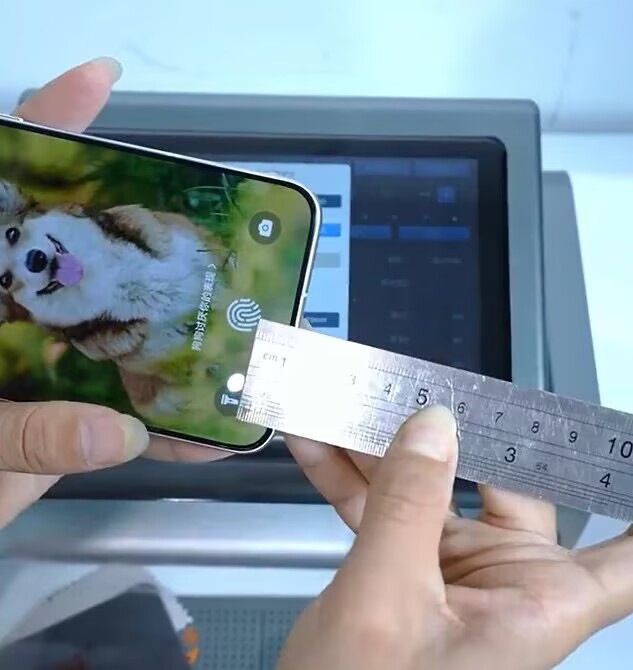
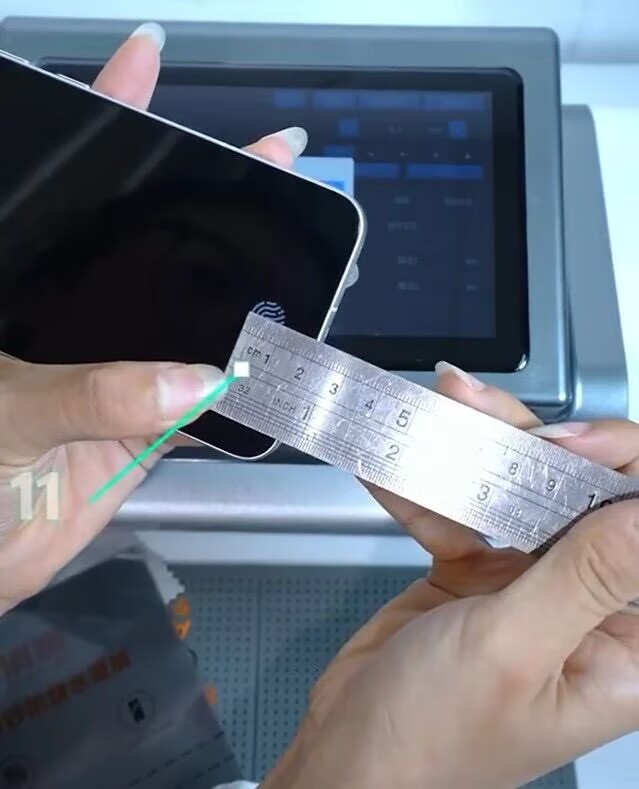
Power on your smartphone and use calipers or a steel ruler to measure the diameter of the fingerprint recognition area and its relative distance from the screen edge.
02 Add a Circle
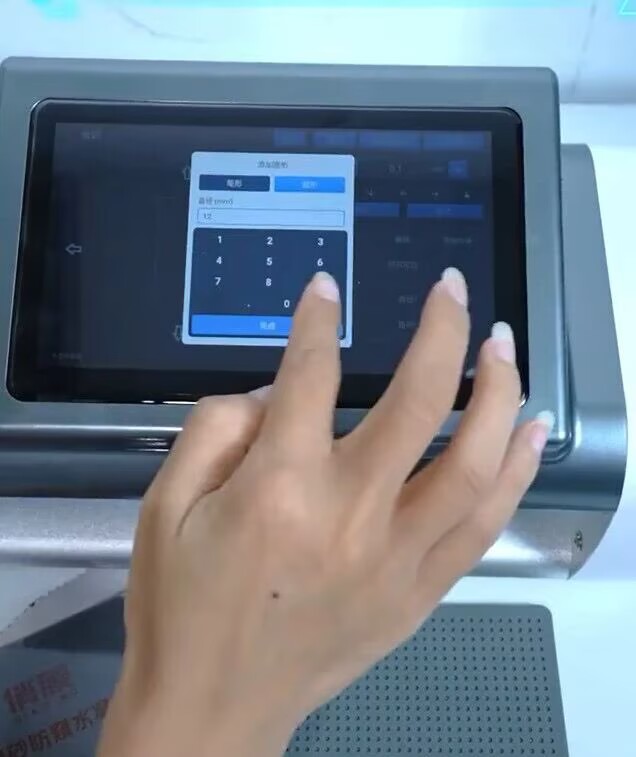
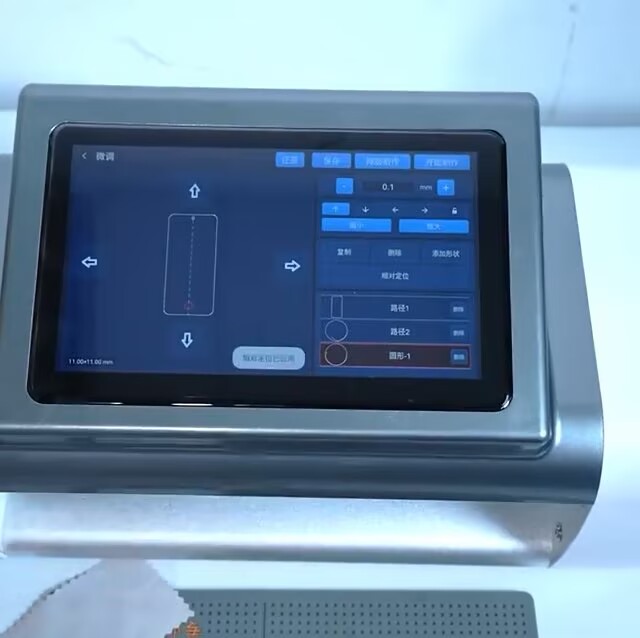
Navigate to the Fine-Tuning page, click 'Add Shape', select 'Circle' as the shape type, enter the measured fingerprint cutout diameter, and click 'Confirm'.
03 Set Position
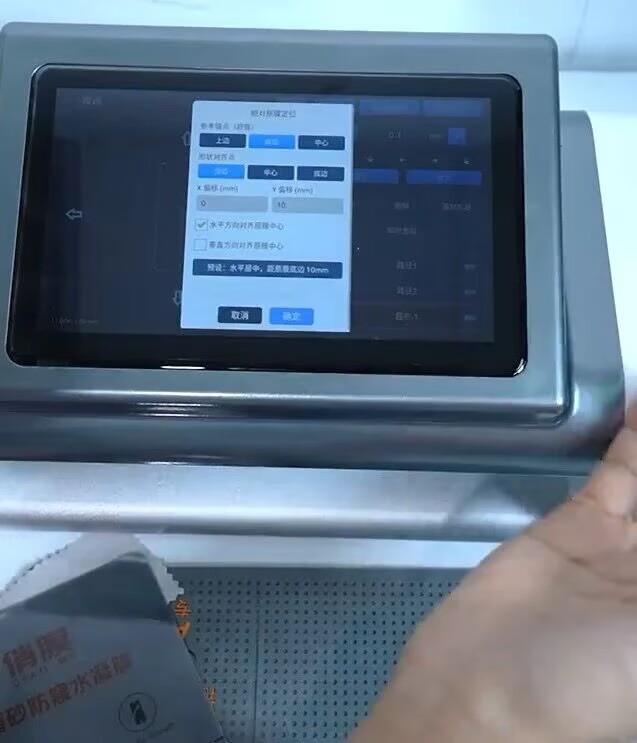
Click 'Relative Position', input the previously measured edge distances to position the circular cutout accurately, then save the parameters. The fingerprint cutout will now appear at the correct location on the template.
04 Preview & Confirm
Before cutting, preview the added fingerprint cutout on the machine interface to verify its placement. Only proceed with cutting after confirming accuracy.
05 Cutting Complete
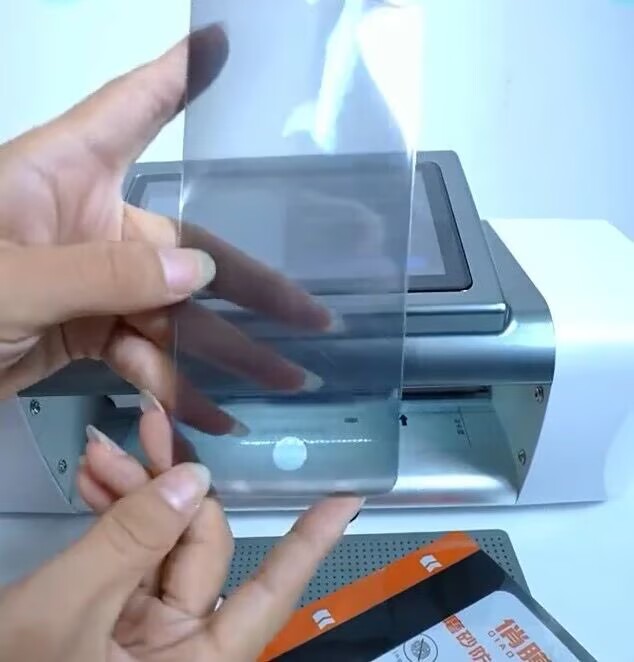
After cutting, you’ll obtain a front film with a precisely positioned fingerprint cutout—custom requirements can be handled on-site.
How simple was adding a fingerprint cutout? If your C5 Ultra film cutter doesn’t yet support this feature, contact our customer service team. And if you’re not using a C5 Ultra film cutter—don’t worry! Our mobile app now supports fingerprint cutout creation too. Contact our customer service to install the latest version of the CutCan app and unlock this new capability!