
Several Motorola devices have arrived at the shop consecutively. Each time you select a template, you must scroll down the brand list. Next time you locate it, don’t rush to tap in—use the C5 Ultra to drag frequently used icons to the front row, reducing scrolling when selecting models.
First, Identify Frequently Cut Brands
Open the mobile phone brand list and scroll downward to find ‘Motorola’. Normally, tapping the icon enters the model list—but this time, you’ll reposition it, so hold your finger on the icon slightly longer.
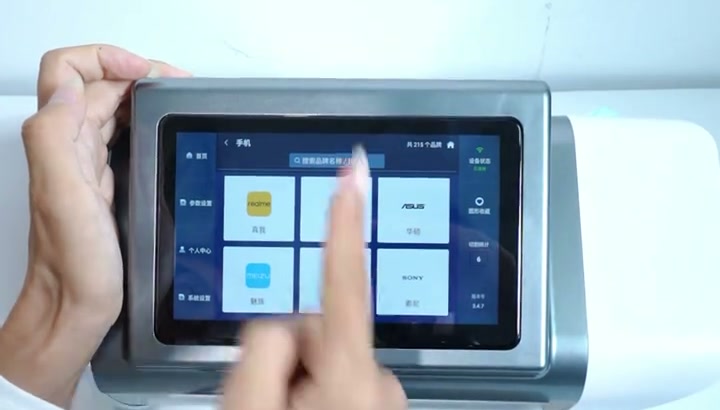
Locate Motorola in the brand list and prepare to adjust its position.
Long-Press the Icon and Drag It to the Front Row
Press and hold the Motorola icon, then drag it upward while maintaining pressure. Release your finger once it reaches the desired position.
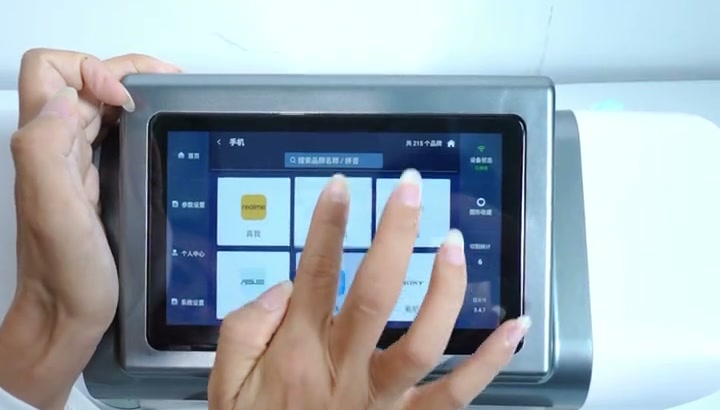
Keep pressing while dragging so the icon follows your finger.
After Releasing, Check Its New Position
In the image below, Motorola now appears in the first row—Apple is on the left, Huawei on the right. Next time you need to cut film for a Motorola device, simply open the brand list and tap Motorola directly. You may also place other most frequently serviced brands in positions convenient for you.
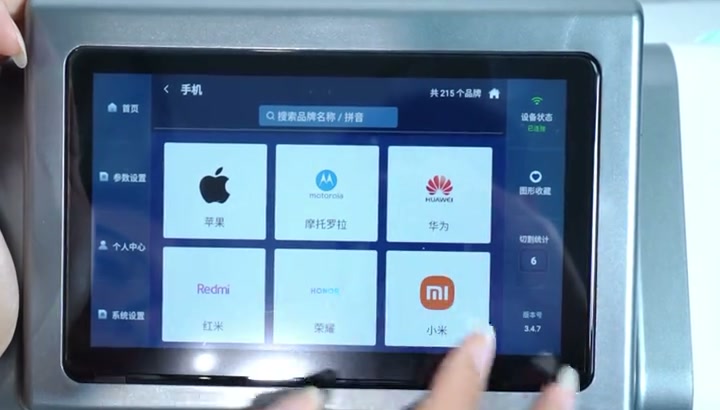
After adjustment, Motorola sits in the center of the first row.
Frequently Used Models Can Also Be Moved Forward
Tap ‘Motorola’ to open the list of models under this brand. If your shop commonly cuts film for a specific model, long-press its model icon on this screen, drag it forward to your preferred position, then release.
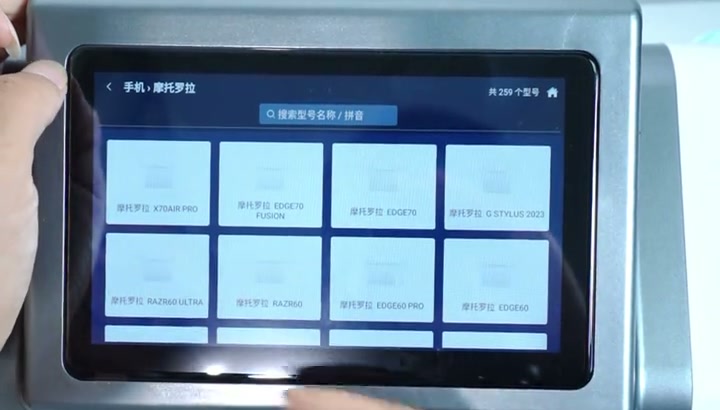
After entering Motorola, locate the specific model you wish to reposition on this page.
Next time you process an order, observe which pages you repeatedly scroll through. If searching for brands takes too long, rearrange the brand list first; if you still need to scroll across multiple screens after entering a brand, move the frequently cut model forward as well.