
When replying to messages on the subway, you want people beside you to be unable to read the text. A few minutes later, you want to show a photo to a friend—and hope both of you can see it clearly while sitting side by side. For a smartphone screen, these are two fundamentally different requirements.
A traditional privacy film helps with the first scenario—but when switching from replying to messages to sharing photos, its viewing angle remains fixed. Samsung has integrated privacy functionality directly into the display of the Galaxy S26 Ultra, allowing users to decide precisely when to narrow the viewing angle.
This change is immediately perceptible on a flagship device—and raises an important question worth examining closely: What trade-offs does the screen make for this added privacy?
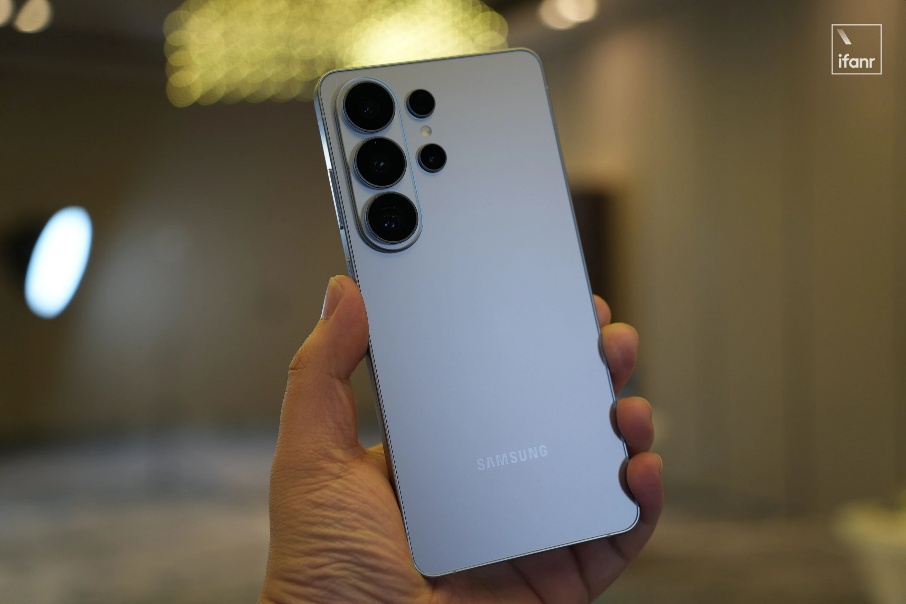
In previous generations of flagship slab-style smartphones, upgrades typically centered around imaging, charging, and processors. This time, the change occurs in a place rarely noticed: precisely which eyes receive the light emitted by each pixel.
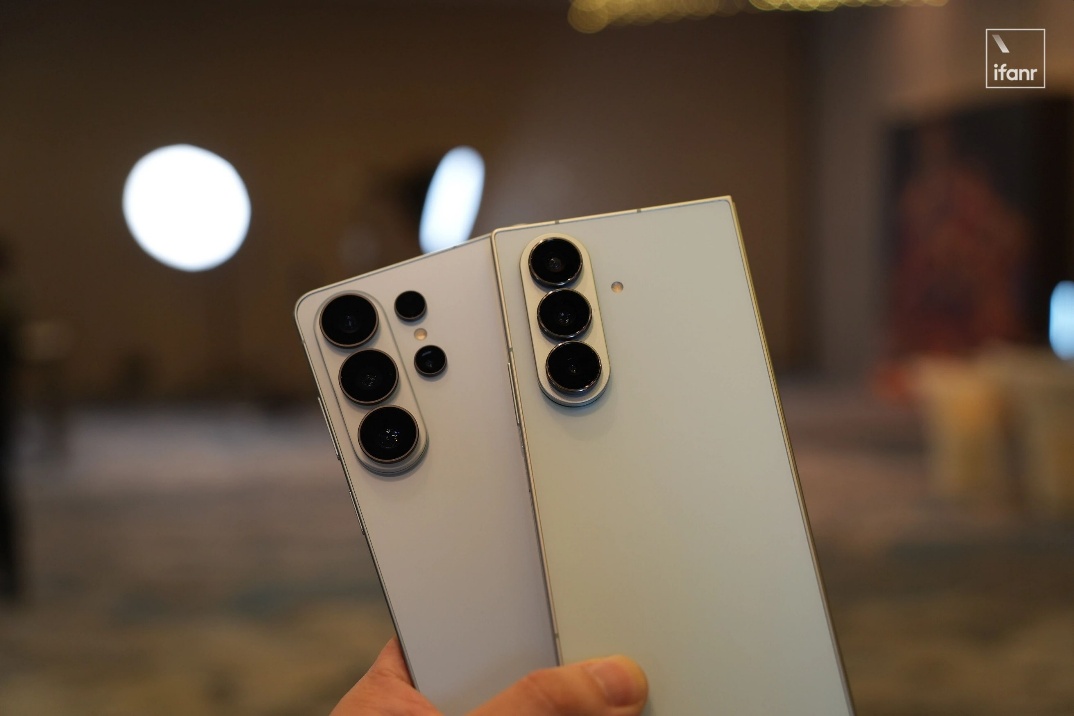
Why Does a Layer of Film Make It Hard for People Beside You to See the Screen?
Let’s start with a common privacy film. After applying it to your phone, the text remains readable from the front—but as you slowly tilt the phone sideways, the image gradually dims.
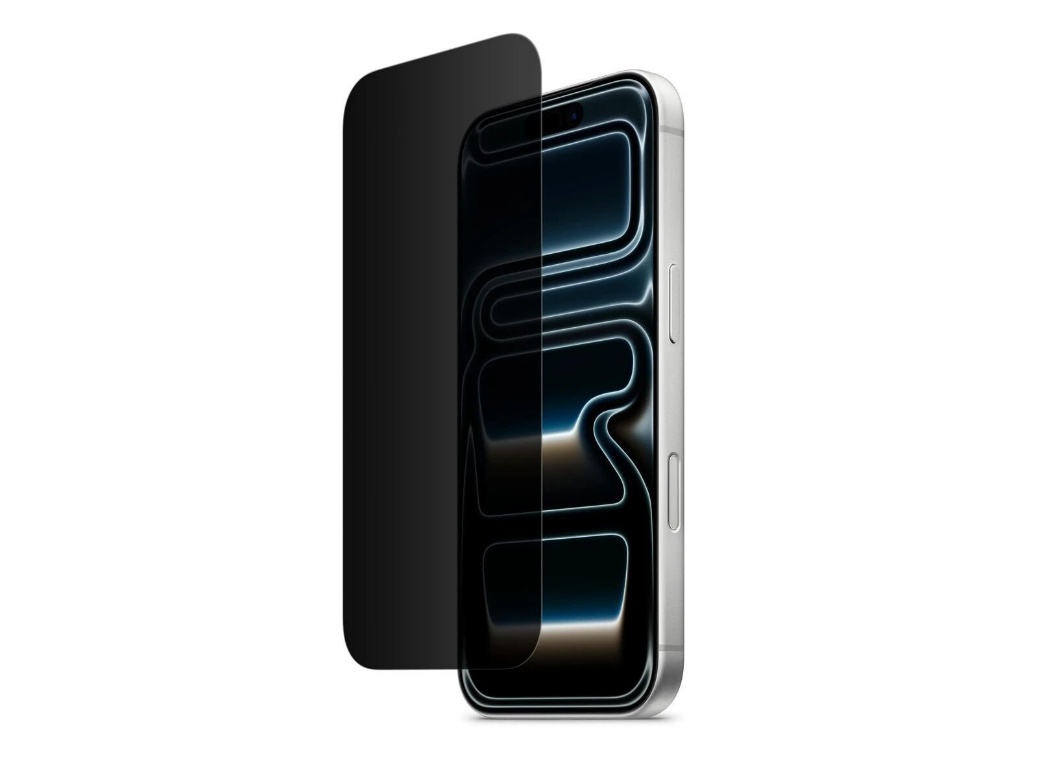
Belkin Privacy Film (Image source: Apple)
Smartphone screens generally require wide viewing angles. OLED panels emit light pixel-by-pixel; LCDs rely on backlighting—both allow light to propagate in multiple directions from the screen. As a result, users can still read content even at varying grip angles—and bystanders may also catch glimpses.
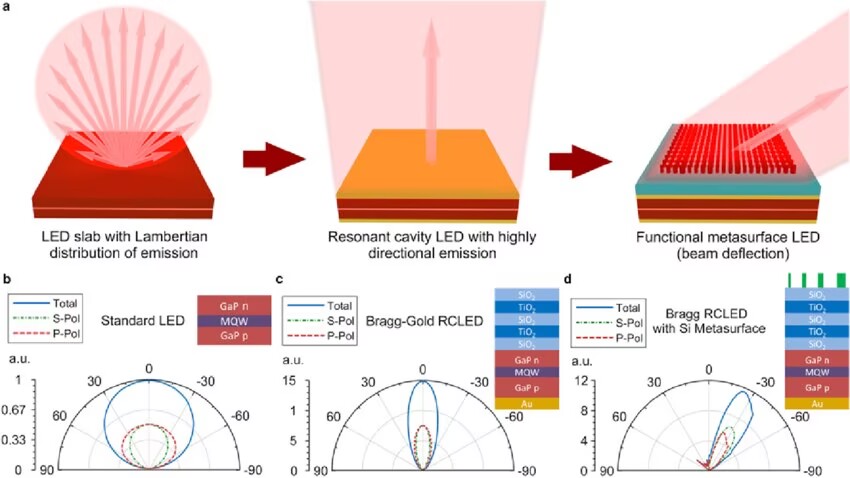
Schematic of light emission directions (Image source: ResearchGate)
Diagrams help illustrate the relationship between viewing angle and brightness. Actual screen performance is further influenced by panel type and optical structure—not all viewing angles deliver identical brightness.
How Privacy Films Block Side-View Visibility
Think of the micro-louvers inside a privacy film as a tightly spaced set of blinds. When viewed head-on, light passes through gaps between louvers to reach your eyes. From the side, louvers obstruct part of the light—narrowing the usable viewing angle.
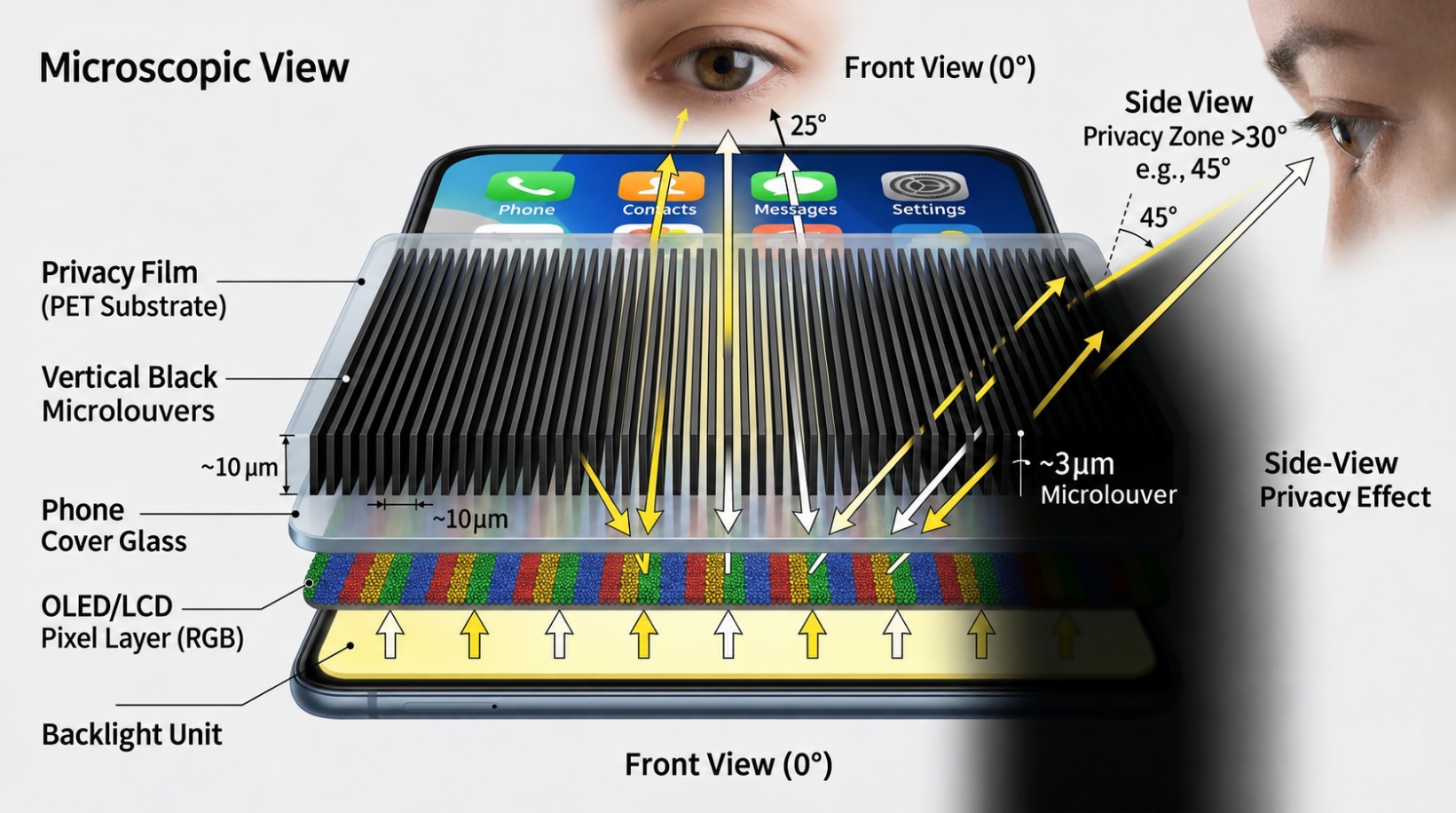
Louver height, width, and spacing all affect performance. If the visible range remains too wide, bystanders may still read text; if light-blocking areas dominate, the front view may appear dimmed. Some films may also blur text or introduce moiré patterns.
Orientation matters too. Films using only vertical louvers primarily restrict left/right viewing—visibility from above or below may differ.
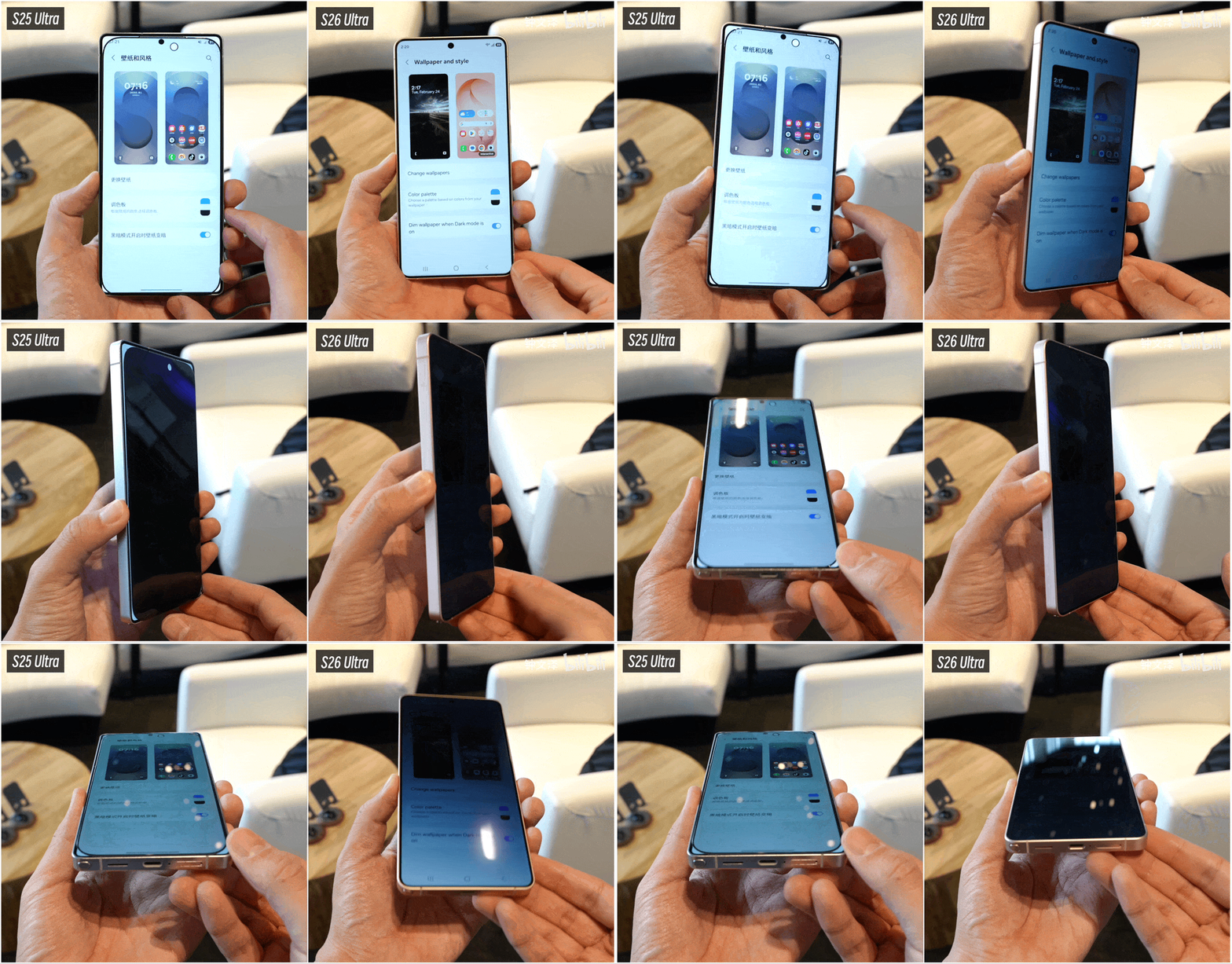
A Fixed-Angle Film Struggles to Adapt to Changing Scenarios
A fixed viewing angle is advantageous on the subway—but becomes inconvenient at a service counter. To let staff see your queue number or share a photo with a friend, you often need to rotate the phone directly toward them.
The Galaxy S26 Ultra moves light-direction control to the OLED pixels themselves—enabling dynamic adjustment of side-view visibility whenever needed.
How Samsung Controls Viewing Angle at the Pixel Level
This display simultaneously uses wide-angle and narrow-angle emitting pixels. Wide-angle pixels spread light broadly; narrow-angle pixels employ micro-optical structures to direct light more strongly toward the screen’s centerline.
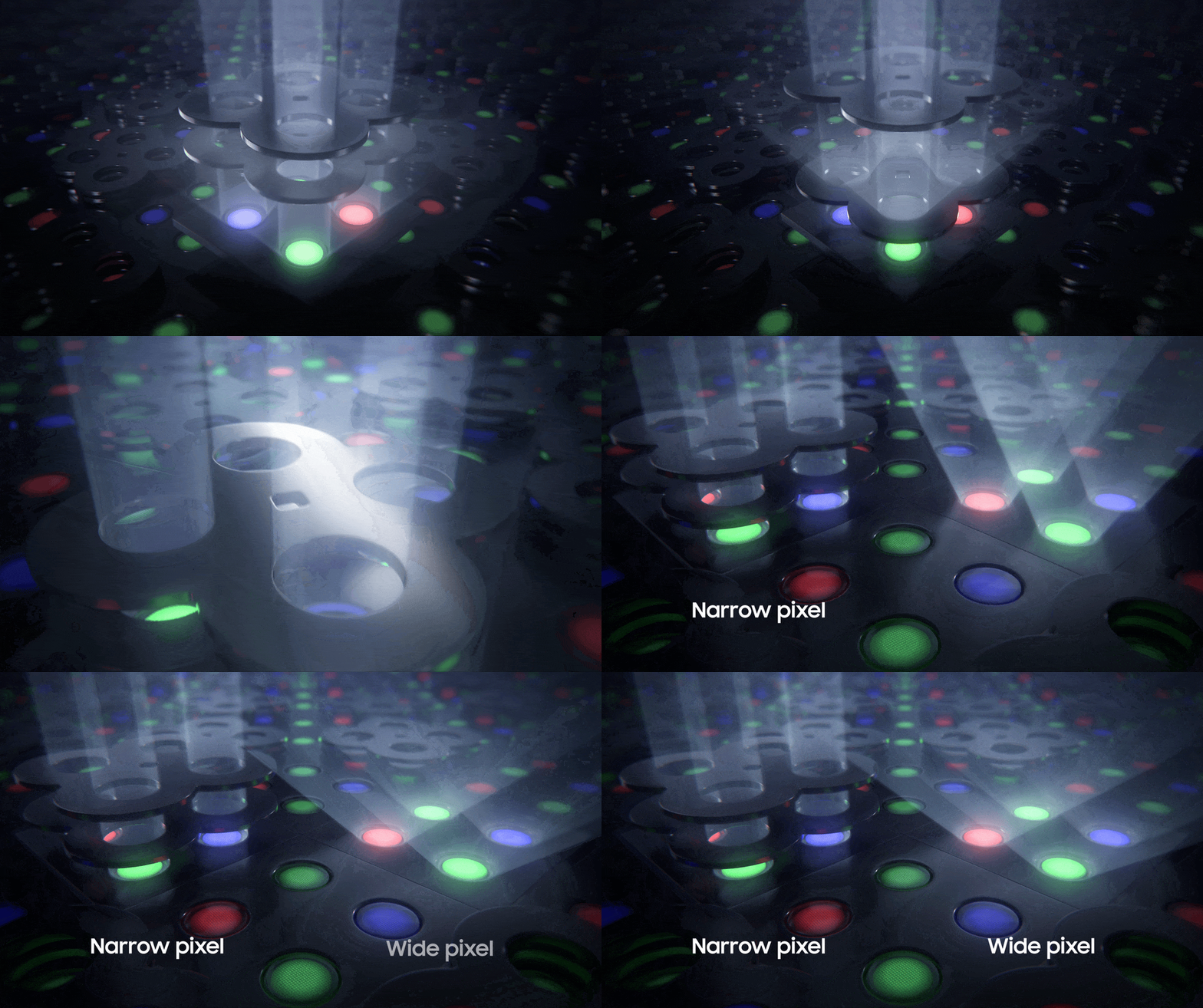
Schematic of pixel light-emission structure (Image source: Samsung)
What Happens to the Screen When Privacy Mode Is Turned On or Off
In standard display mode, wide-angle pixels drive visibility across broad angles. When privacy mode activates, the screen reduces lateral light emission—preserving readability for the user directly in front while lowering side viewers’ ability to discern content.
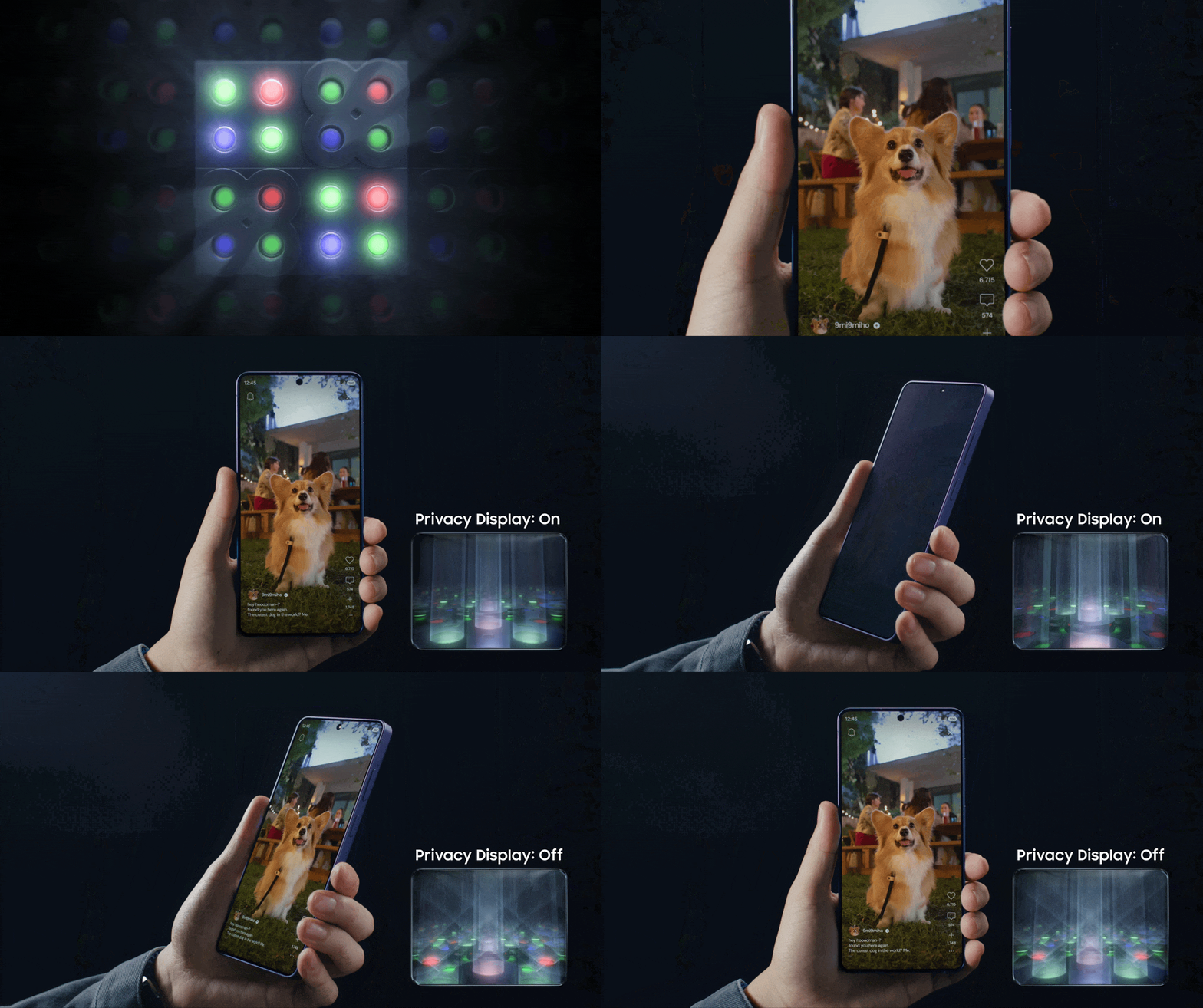
Pixel operation schematic in privacy mode (Image source: Samsung)
The demo diagram uses white and blue to distinguish wide-angle and narrow-angle pixels respectively. As the phone rotates away from frontal alignment, off-center views increasingly fail to capture light from narrow-angle pixels. How much remains visible from the side depends on ambient lighting, screen brightness, and observation angle.
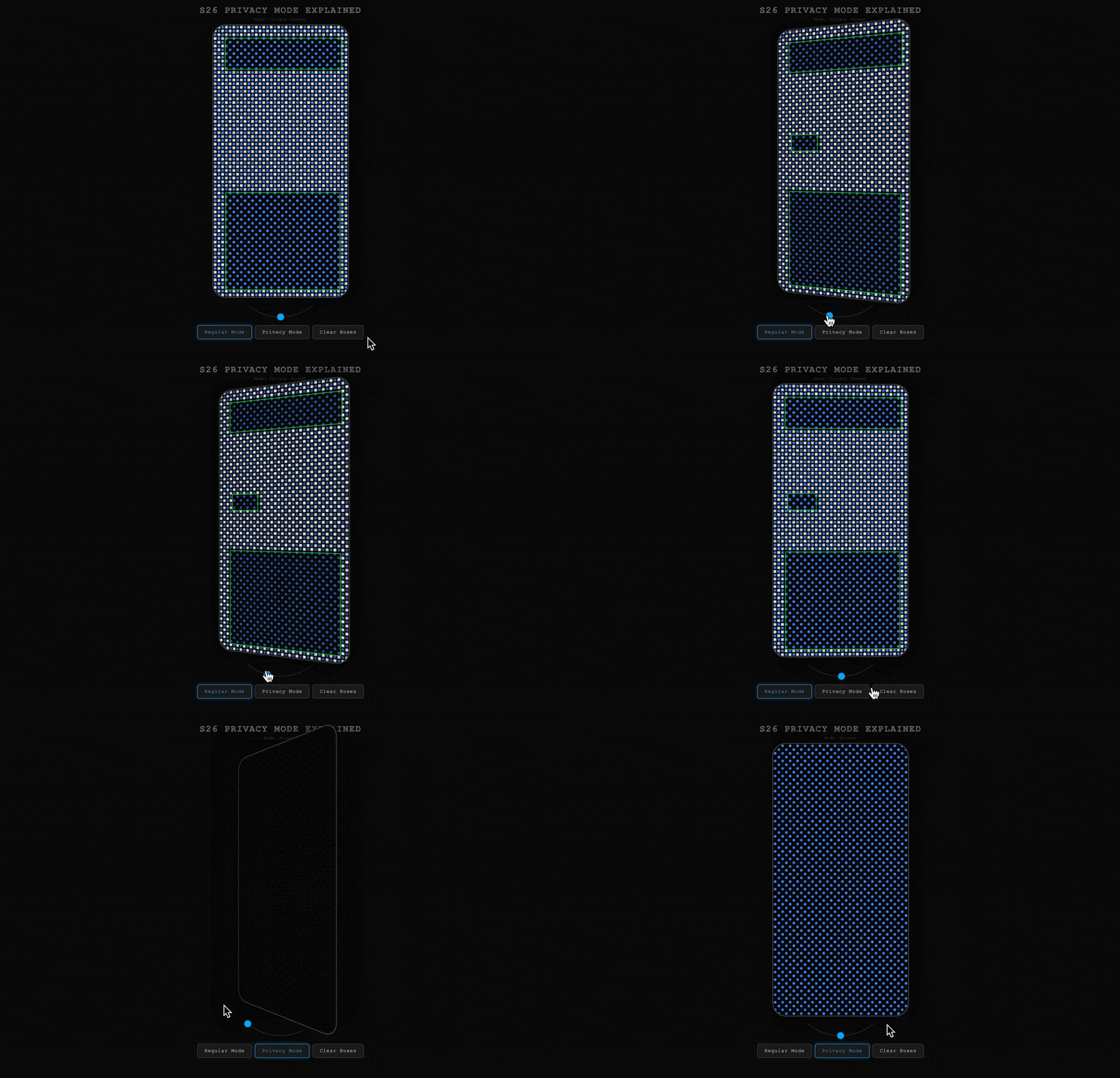
On-Demand Activation & Notification-Only Protection
The built-in solution eliminates the need for an extra physical privacy film. More practically, users can link privacy activation to specific actions—for example, enabling it only within designated apps, or restricting side visibility solely for notification pop-ups.
For instance, you and a friend are viewing a photo together—then a private message suddenly appears at the top of the screen. Localized privacy protection can shield just that notification area, while leaving the photo fully viewable for both of you.
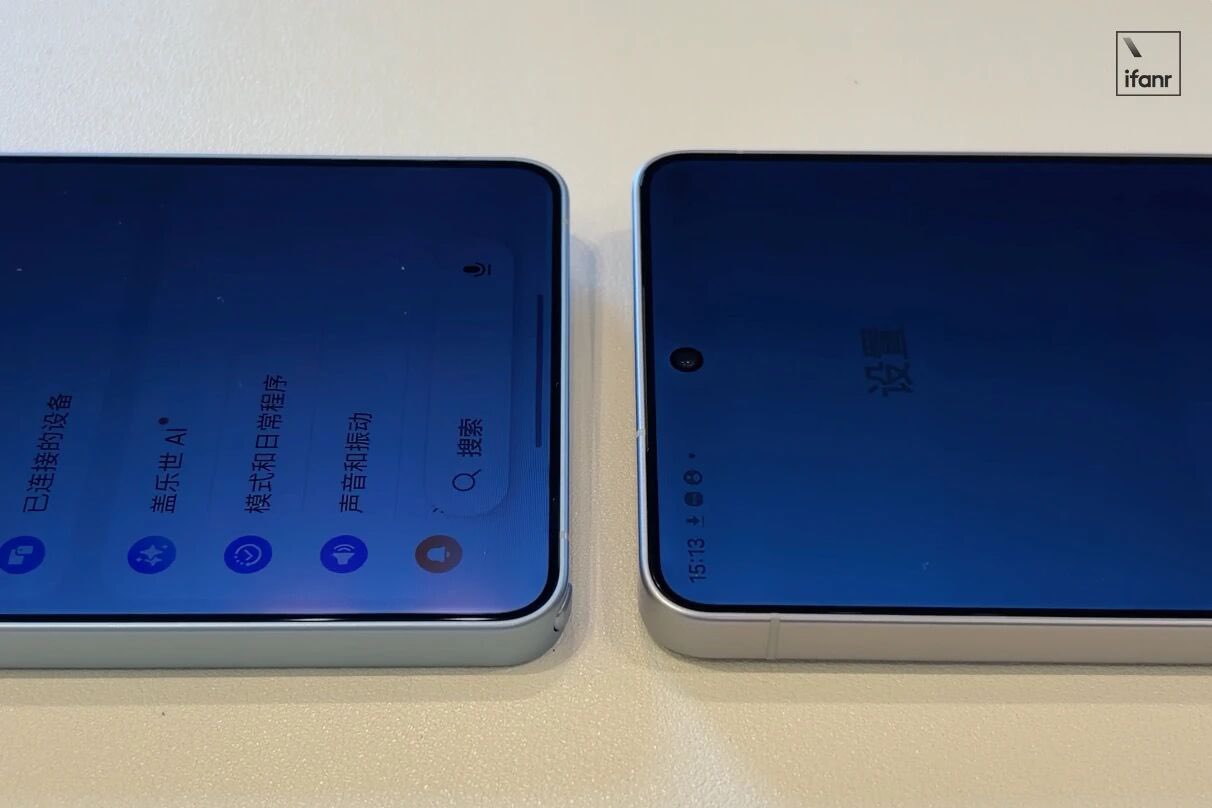
This convenience comes at a cost. Enabling full-screen privacy changes how pixels operate. Viewing angle, brightness perception, and legibility of fine text all merit real-world evaluation at typical usage distances.
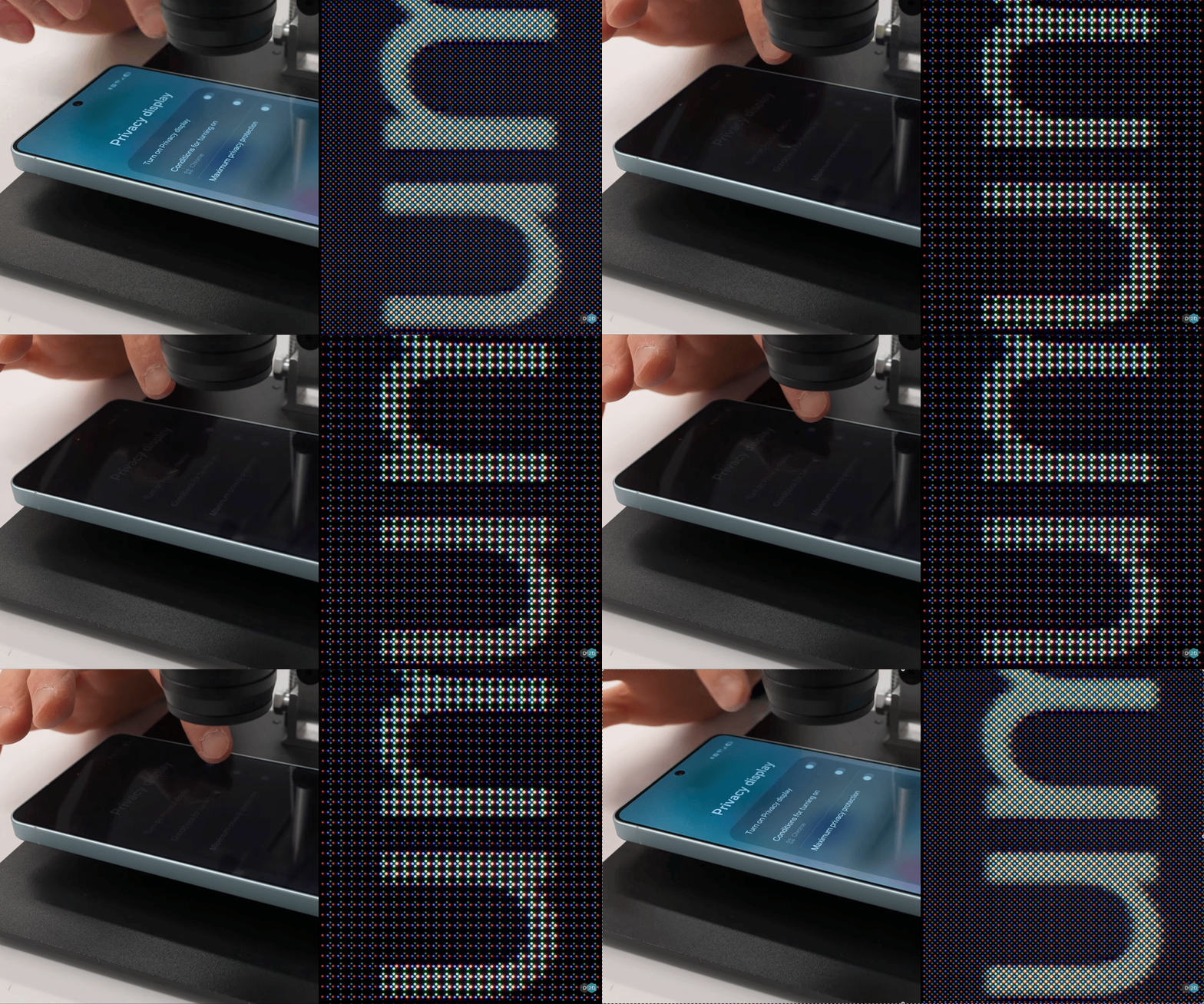
Screen display and pixel detail comparison (Image source: YouTube @Dave2D)
How Much Display Quality Is Worth Trading for Privacy?
In PingWest’s hands-on review of this phone, readers’ first concern was screen quality. For users accustomed to glancing at navigation maps from the side—or frequently passing photos to others—the speed at which the image dims during rotation genuinely affects usability.

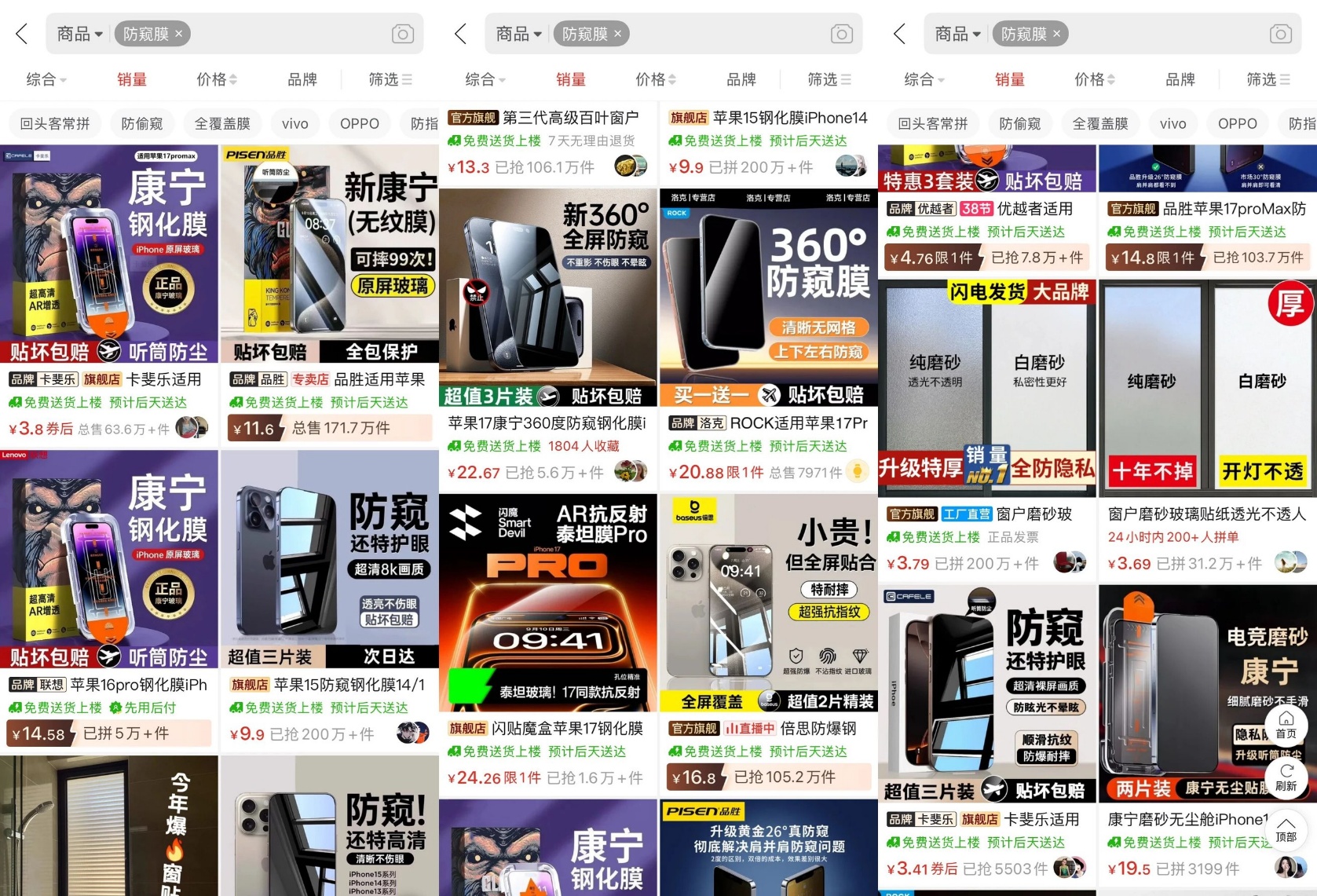
Another practical need is equally concrete: a work message on the subway, or a medical report in a waiting room—both situations may call for temporary viewing-angle narrowing. The market’s continued demand for privacy films confirms many users accept certain display compromises for enhanced privacy.
The value of built-in privacy shines brightest when such scenarios occur back-to-back. After handling a message, you instantly restore normal viewing—no need to reconsider peeling off a physical film.
From Early Phones to Laptops: Privacy Displays Have Long Been Relevant
Samsung previously demonstrated its Flex Magic Pixel concept, exploring directional light control at the OLED pixel level. Earlier, Sharp experimented with privacy features on flip phones and subsequent models using LCD panels. Though their technical paths differed, both addressed the same everyday question: Who should be able to see the screen?
Laptops face similar needs. When editing documents on an airplane seat or shared workstation, large displays easily fall within neighbors’ line of sight. HP’s Sure View integrates privacy display technology directly into laptops.
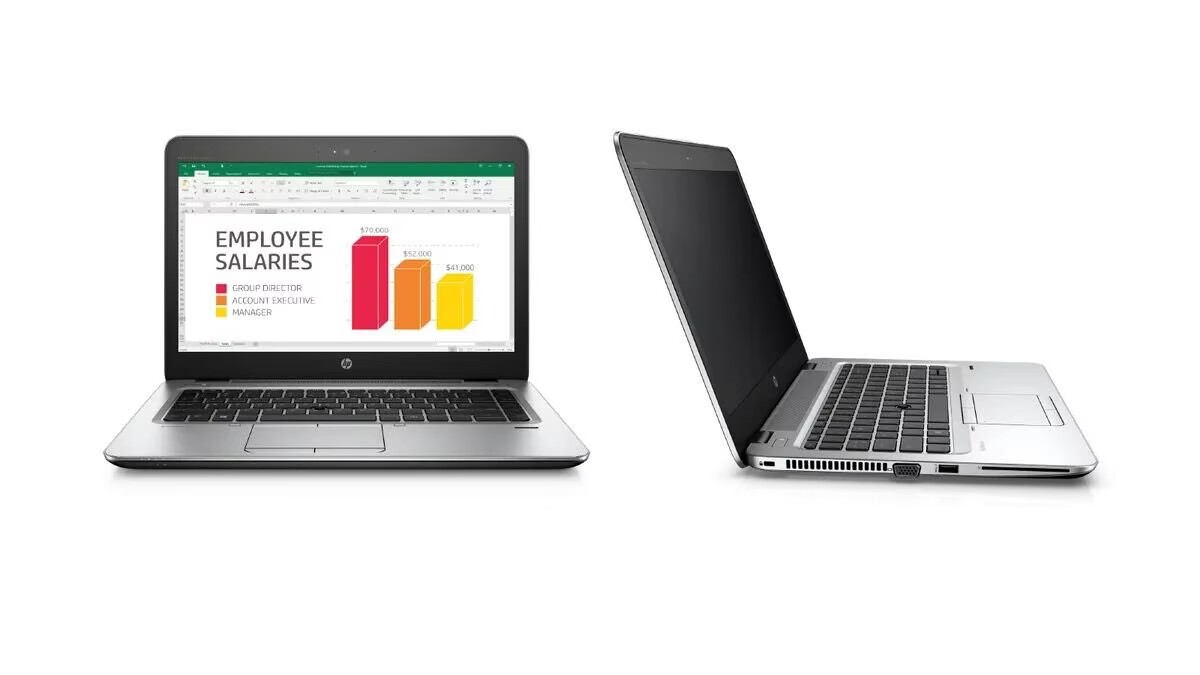
Laptop privacy display example (Image source: CNET)
Larger Screens, More Frequent Sharing
From early flip phones to today’s flagship smartphones, evaluating privacy experience requires assessing not only how effectively side views are blocked—but also how conveniently users can toggle between modes. MKBHD’s hands-on video—cited in the original article—also brings this feature into broader discussions about daily device usability.
Foldables add another dimension. Their unfolded large screen excels for map-sharing with companions—and for solo work tasks. These two use cases may differ by only one app switch. Whether privacy functions adapt fluidly to content and context matters far more than any single static viewing-angle specification.
Foldable device example (Image source: eBay)
Returning to our opening scenario: You finish replying to a message in the train car, then turn the phone to show a photo to your friend. Traditional privacy films maintain identical optical behavior in both moments. The S26 Ultra instead places decisions—whether to protect the entire screen, just a notification, or restore full sharing—directly in the user’s hands. This represents the most intuitive, day-to-day distinction between the two approaches.